
Info Inlet LogoInfo Inlet

AI interior design for iPhone & iPad
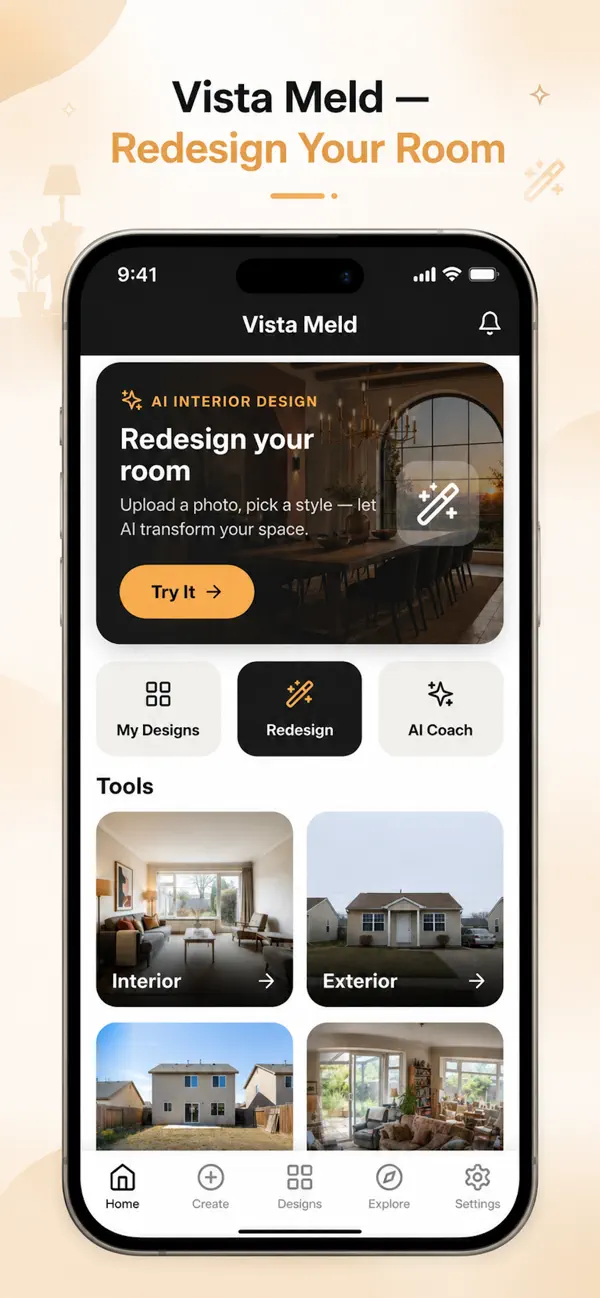
AI interior design: redesign any room from one photo

Vista Meld is the easy way to visualise, design and shop for your space from your phone. Snap a room, choose a style and let AI show you what it could look like, before you buy anything.

  • Free to download
  • 15+ design styles
  • Before / after views
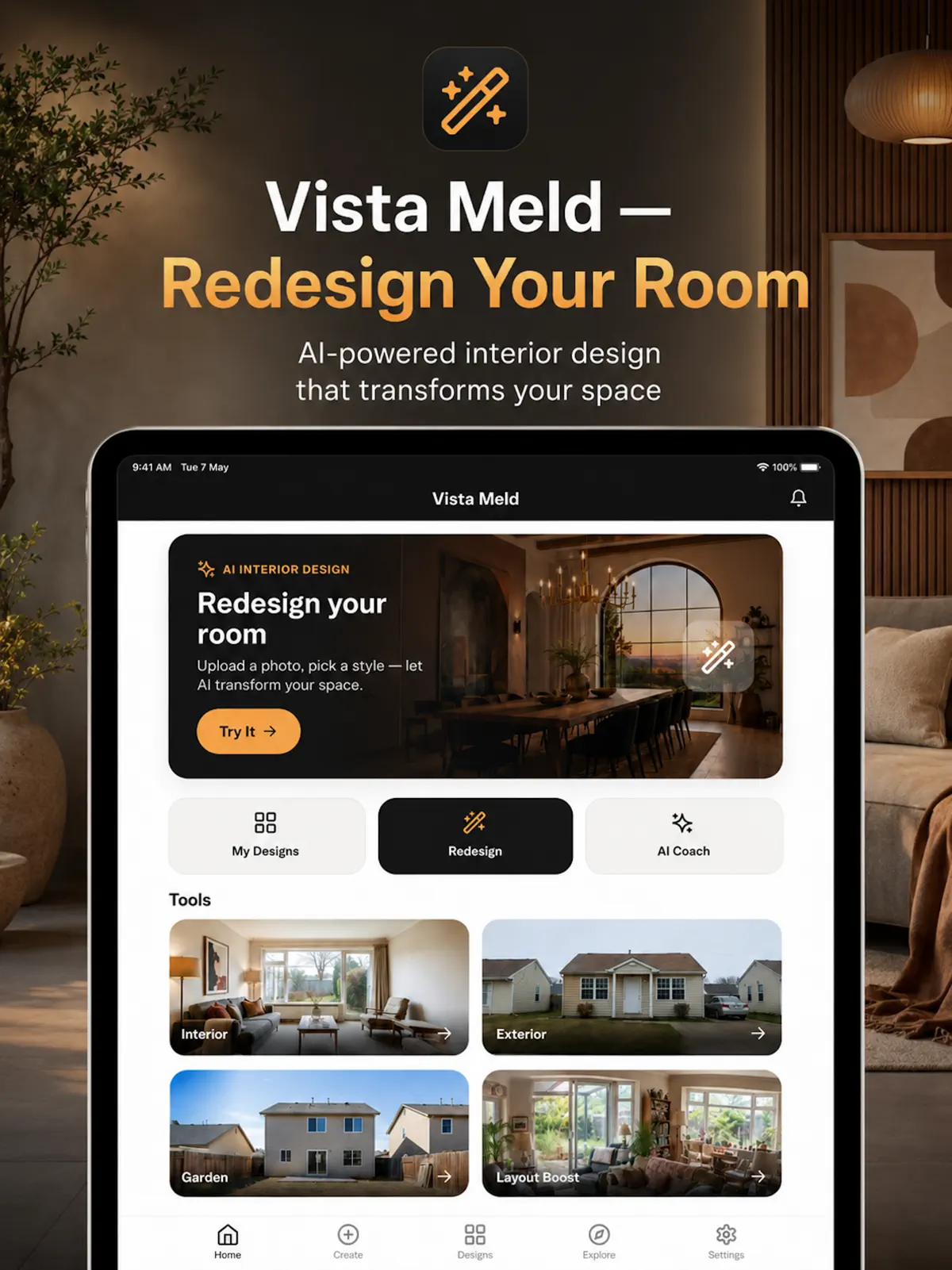
Vista Meld on iPad
Redesign your room

Vista Meld

Redesign your room

15+
design styles
5
AI design tools
4
steps to a redesign
iOS 15+
iPhone and iPad

How it works

How to redesign a room with AI using Vista Meld

  1. 1

    Snap your room

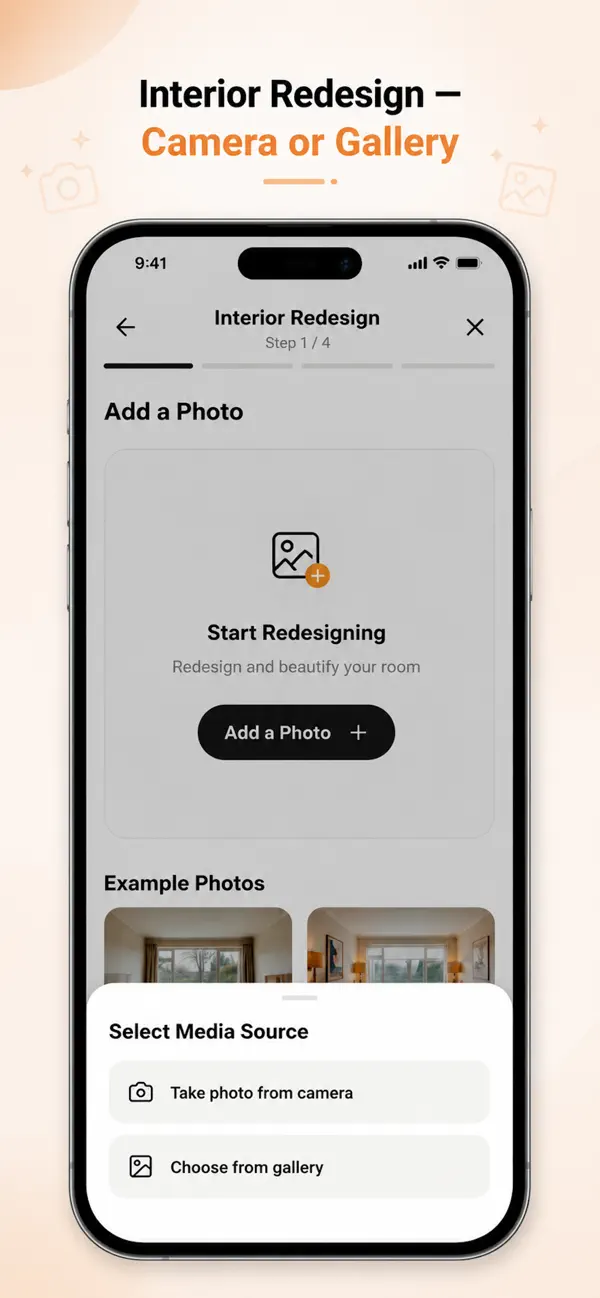
    Take a photo with the camera or choose one from your gallery.

  2. 2

    Choose the room and style

    Tell Vista Meld which room it is and pick a design style.

  3. 3

    Pick a mode and palette

    Keep your room’s structure or allow a full renovation, and choose a colour palette.

  4. 4

    See it and shop the look

    Compare before and after, save the design and browse furniture matched to it.

Features

Everything you need to design your space

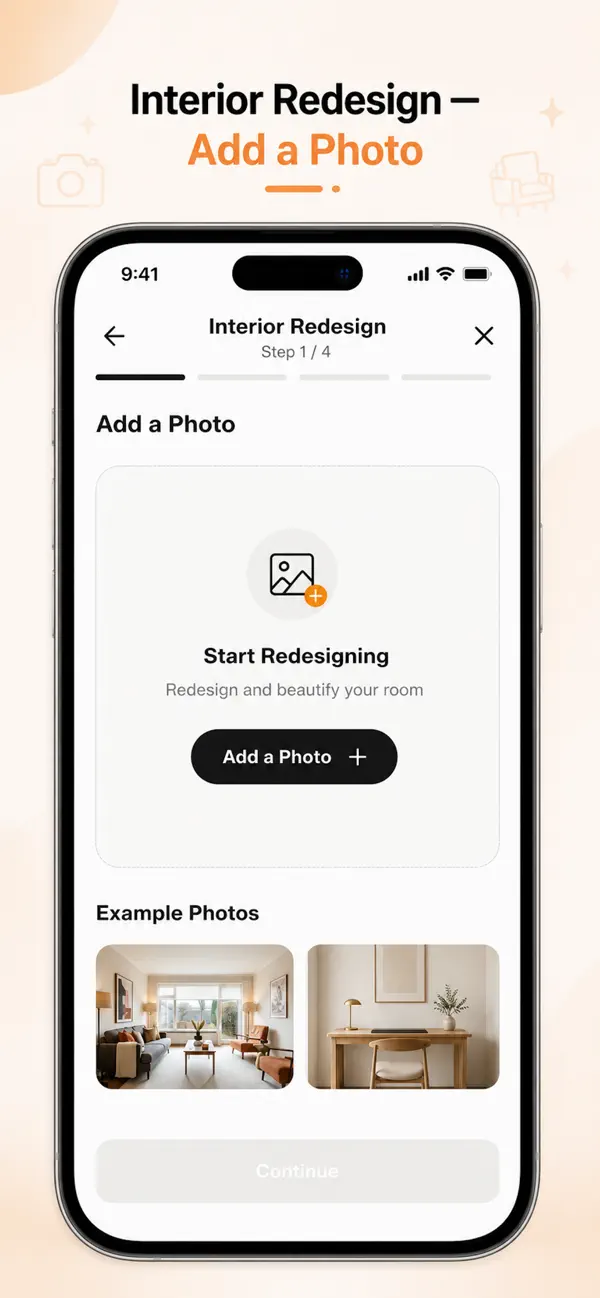
Vista Meld: Start from a photo of your room
01

Start from a photo of your room

Take a photo or choose one from your gallery. AI analyses the space, identifies furniture and understands your existing style, with no measuring tape needed.

  • Camera or gallery
  • Example photos to try
  • Furniture and proportions recognised
Vista Meld: Five AI design tools
02

Five AI design tools

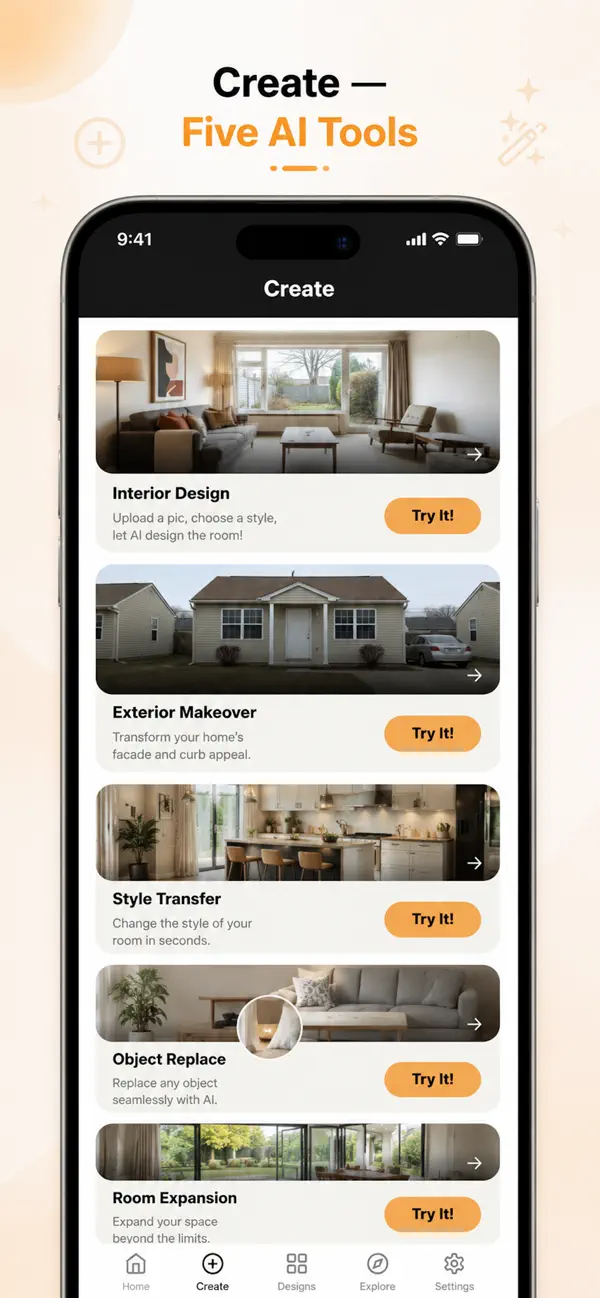
Redesign an interior, give your house an exterior makeover, change a room’s style, replace a single object or expand your space.

  • Interior Design
  • Exterior Makeover
  • Style Transfer
  • Object Replace
  • Room Expansion
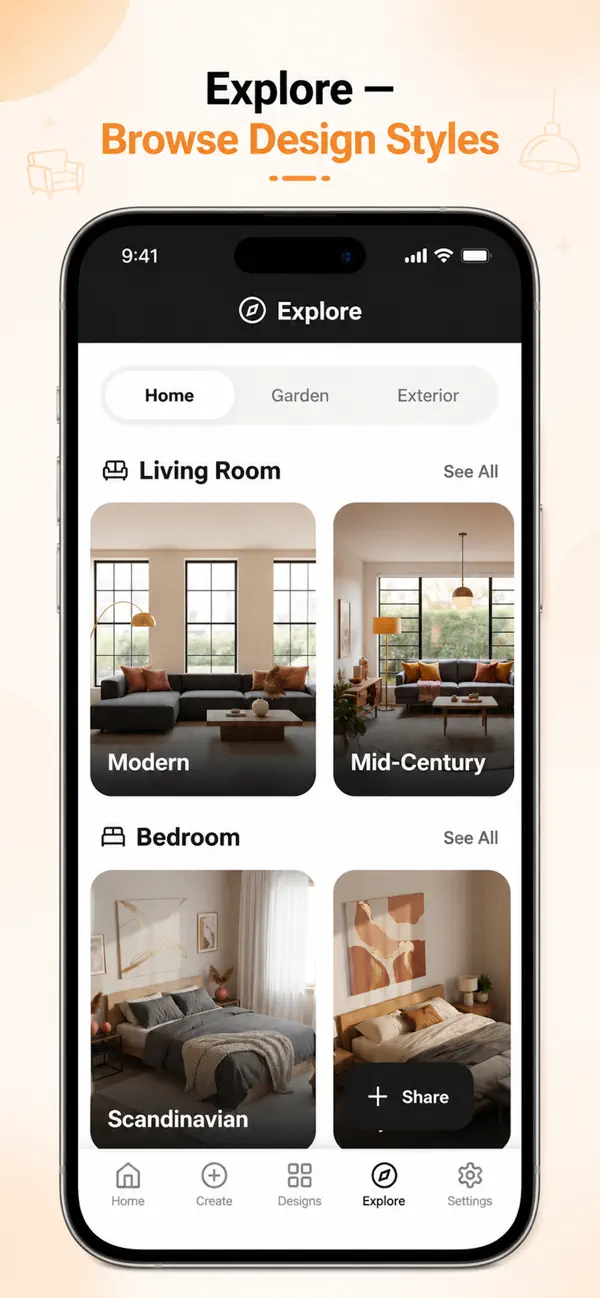
Vista Meld: 15+ curated design styles
03

15+ curated design styles

Browse styles for living rooms, bedrooms, gardens and exteriors, then apply one to your room with a tap and see several variations.

  • Modern, Scandinavian, Minimalist
  • Japandi, Bohemian, Industrial
  • Mid-Century and more
Vista Meld: Design any room in your home
04

Design any room in your home

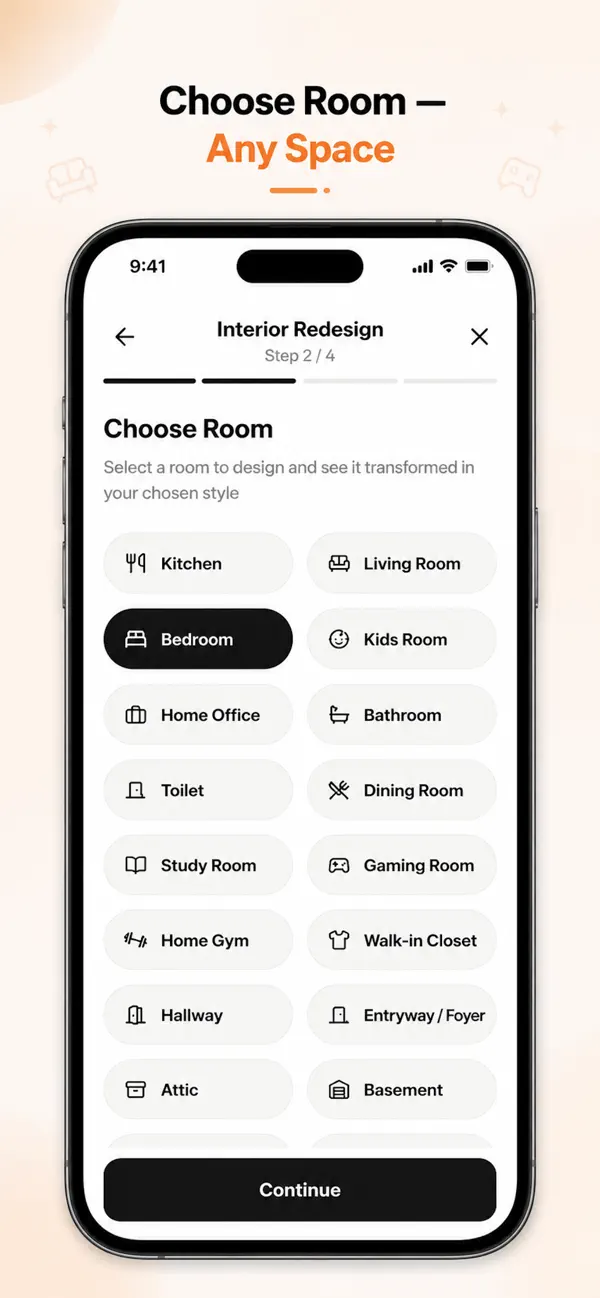
Choose the room you are redesigning, from the kitchen and living room to the attic and basement.

  • Kitchen, bedroom, bathroom, home office
  • Kids room, gaming room, home gym
  • Hallway, attic, basement and more
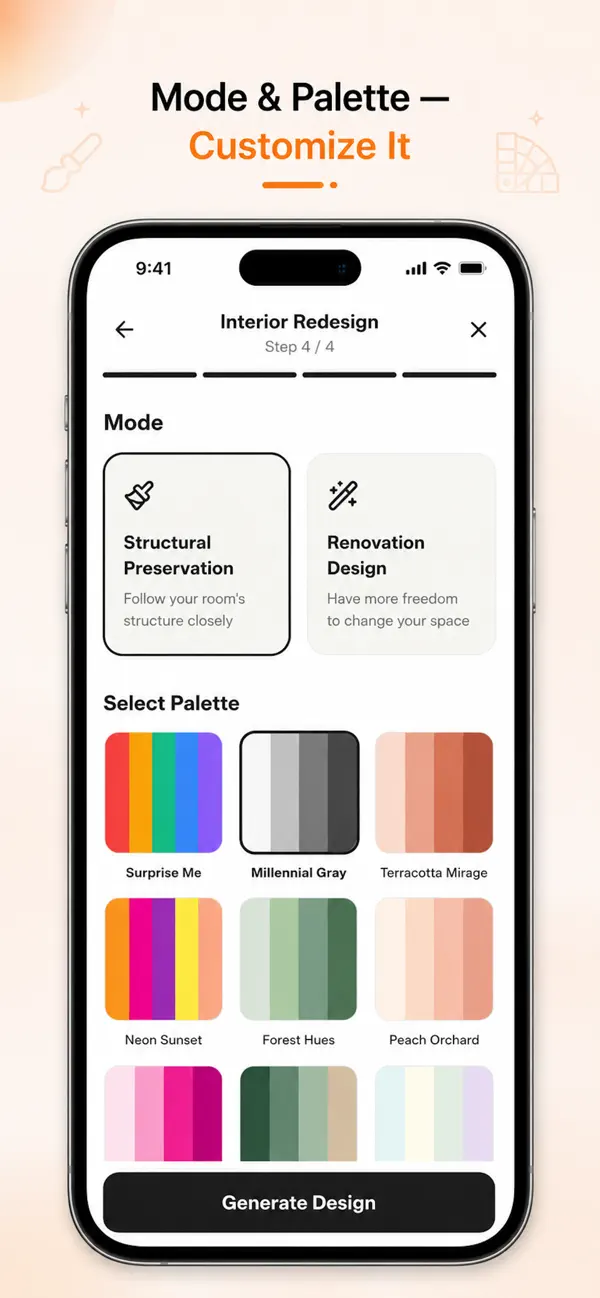
Vista Meld: Modes and colour palettes
05

Modes and colour palettes

Keep your room’s structure or give AI more freedom to change it, then pick a colour palette or let it surprise you.

  • Structural Preservation or Renovation Design
  • Ready-made palettes
  • AI colour palettes for your space
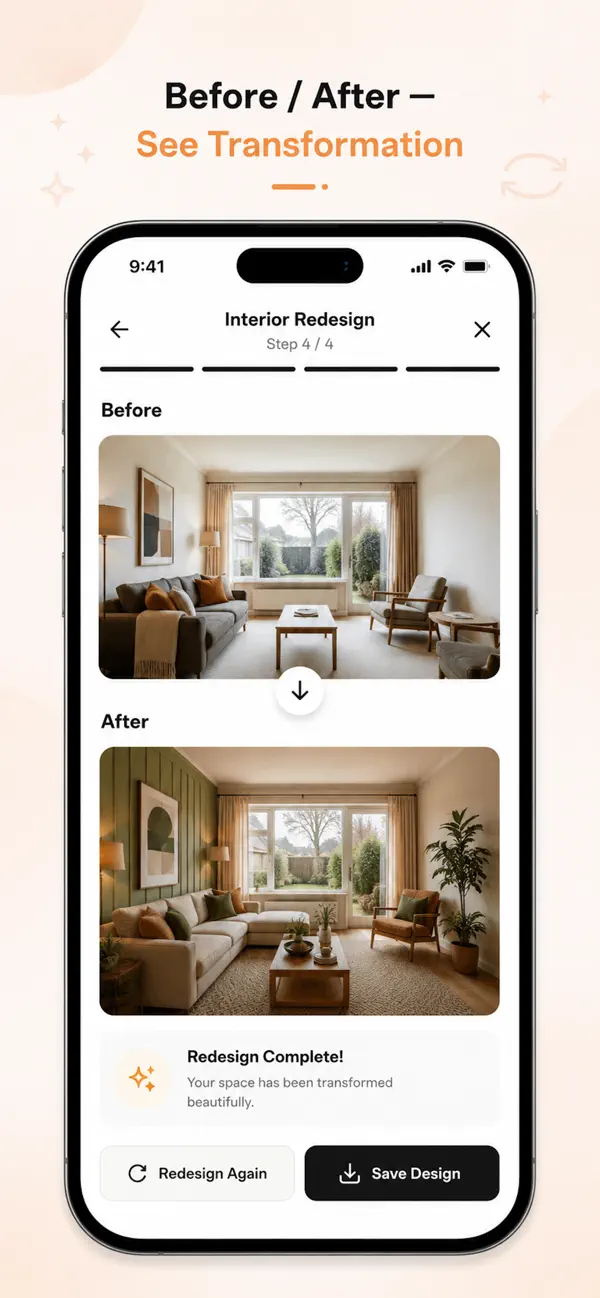
Vista Meld: Before and after, side by side
06

Before and after, side by side

See the transformation instantly, redesign again if you want another take, and save the design you like.

  • Side-by-side comparison
  • Redesign again
  • Save your design

Languages

Redesign any space

Pick the room you are working on and Vista Meld designs for it.

  • Kitchen
  • Living Room
  • Bedroom
  • Kids Room
  • Home Office
  • Bathroom
  • Toilet
  • Dining Room
  • Study Room
  • Gaming Room
  • Home Gym
  • Walk-in Closet
  • Hallway
  • Entryway / Foyer
  • Attic
  • Basement

Every screen in Vista Meld

  • Vista Meld screenshot 1
  • Vista Meld screenshot 2
  • Vista Meld screenshot 3
  • Vista Meld screenshot 4
  • Vista Meld screenshot 5
  • Vista Meld screenshot 6
  • Vista Meld screenshot 7
  • Vista Meld screenshot 8

Also in the app

More in Vista Meld

  • AI Design Coach

    Ask about styling, get recommendations and help with tricky layouts, any time.

  • Mood boards

    Collect inspiration, compare ideas and share your vision with collaborators.

  • Shop the look

    Browse a curated furniture catalogue matched to your design, save favourites and compare options.

  • Community

    See what other Vista Meld users create and share your own designs.

  • AI colour palettes

    Cohesive palettes tailored to your space, so you can see how colours work together.

  • Your data, your choice

    Delete your account and data any time from within the app.

Who it’s for

Who uses Vista Meld

  • Homeowners

    Redecorate one room or style the whole home with confidence.

  • Renters

    Refresh your space without major changes.

  • First-time buyers

    Plan your new home’s interior and get ideas before you buy furniture.

Pricing

Free to download, Premium when you’re ready

Vista Meld is free to download. Premium unlocks every feature.

Download on theApp Store

Pro monthly

$6.99

per month

Pro yearly

$49.99

per year

  • Unlimited rooms
  • Unlimited AI design generations
  • All design styles
  • Advanced colour palettes
  • Design exports
  • Priority support

US prices; the App Store shows the price for your country. Vista Meld Premium is an auto-renewable subscription charged to your Apple ID. It renews at the same price unless auto-renew is turned off at least 24 hours before the end of the current period. Manage or cancel in your Apple ID account settings on the App Store.

Your photos and designs are your own

  • Industry-standard encryption protects your photos and designs.
  • Vista Meld never sells your data.
  • Delete your account and data any time from within the app.

Vista Meld questions

What is Vista Meld?

Vista Meld is an AI interior design app for iPhone and iPad. Take a photo of a room, choose a style and AI shows you a redesigned version, with palettes, mood boards and matching furniture.

Is Vista Meld free?

Vista Meld is free to download. Premium unlocks unlimited rooms and AI design generations, all styles, advanced palettes, exports and priority support.

How much does Vista Meld cost?

Vista Meld Premium costs $6.99 a month or $49.99 a year (US prices).

Which design styles does Vista Meld have?

More than 15 curated styles, including Modern, Scandinavian, Minimalist, Japandi, Bohemian, Industrial and Mid-Century.

Can Vista Meld redesign the outside of my house?

Yes. The Exterior Makeover tool transforms your home’s facade and curb appeal from a photo.

Will AI keep my room’s layout?

You choose. Structural Preservation follows your room’s structure closely, and Renovation Design gives AI more freedom to change it.

Can I buy the furniture I see?

Shop the Look lets you browse a curated furniture catalogue matched to your design, save favourites and compare options.

Which devices does Vista Meld work on?

iPhone and iPad running iOS 15 or later. Download it from the App Store.

Vista Meld

See your room in a new style

Download Vista Meld free on the App Store and redesign your first room from a photo.

Download on theApp Store