
Info Inlet LogoInfo Inlet

AI calorie counter for iPhone & iPad
An AI calorie counter that reads any menu for you

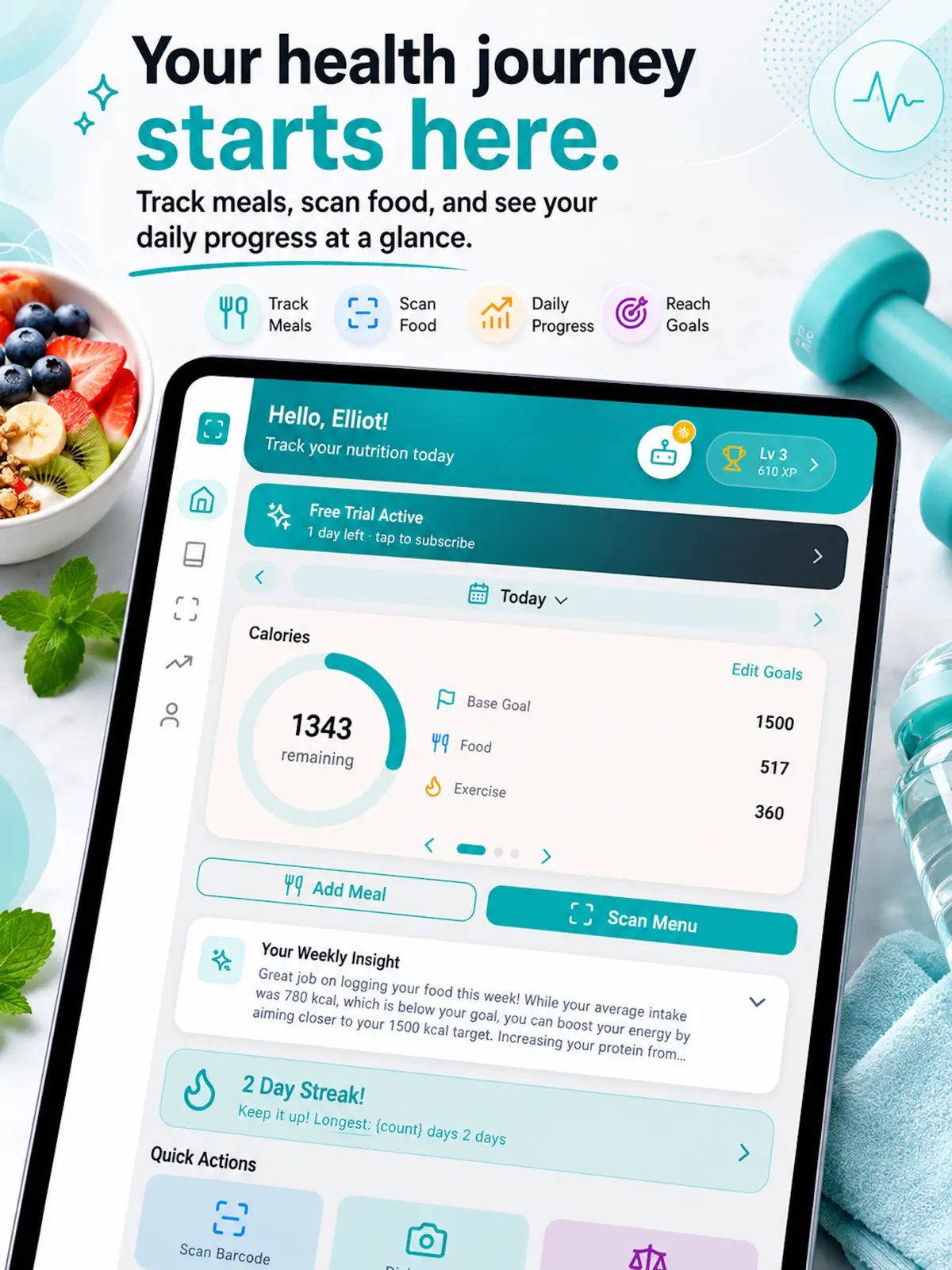
Snap a photo of a restaurant menu, takeout menu or food label and Meal Sensor’s AI identifies the dishes and gives you calories, protein, carbs and fat in seconds. Then log your meals, water, weight and workouts in one place.

  • Free to download
  • 7 days of Premium free for new users
  • Menu and food label scanning
Meal Sensor on iPad
Your day at a glance

Meal Sensor

Your day at a glance

7 days
Premium free for new users
3
macros tracked: protein, carbs, fat
$7.99
Premium per month (US)
$39.99
Premium per year (US)

How it works

How to count calories from a menu with Meal Sensor

  1. 1

    Point your camera at the menu

    Snap a restaurant menu, takeout menu or food label from the Scan Menu button.

  2. 2

    Get the nutrition

    The AI identifies the dishes and shows calories, protein, carbs, fat and a micronutrient breakdown.

  3. 3

    Log what you eat

    Add it to your food diary, or search the food database for anything else you ate.

  4. 4

    Watch your trends

    Check daily, weekly and monthly charts for calories, water, weight and exercise.

Features

Everything you need to track calories on your phone

Meal Sensor: Scan a menu, see the calories
01

Scan a menu, see the calories

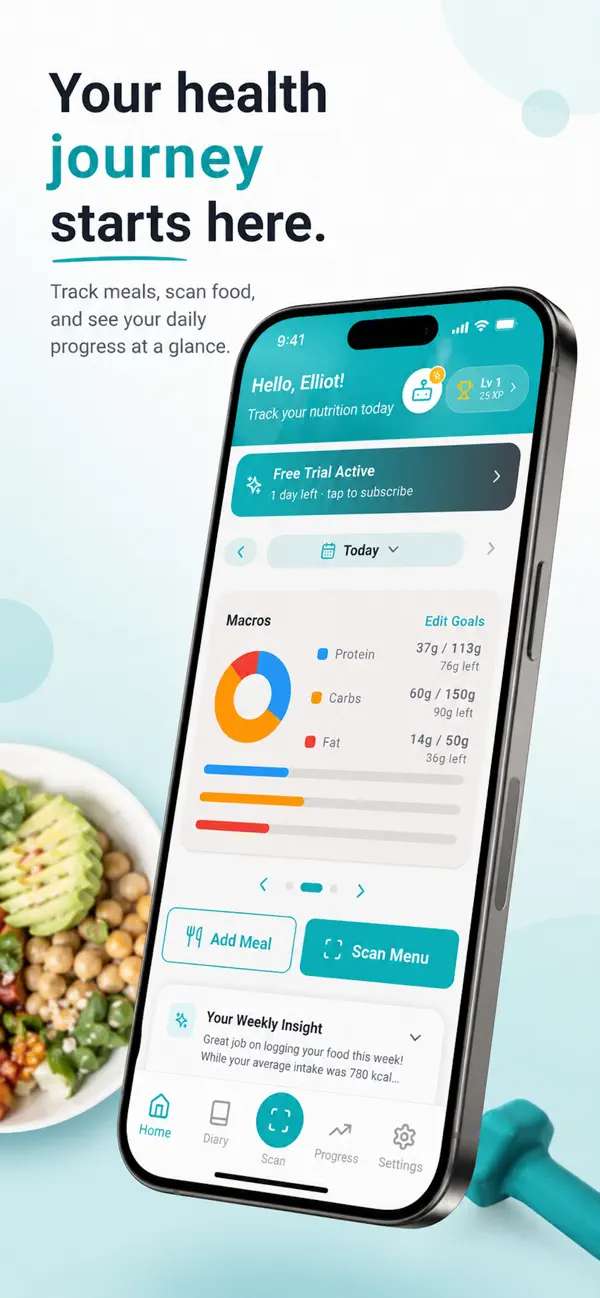
From the home screen, tap Scan Menu and point your camera at a menu or food label. Your calories left for the day and your protein, carbs and fat sit right above it.

  • Restaurant menus, takeout menus and food labels
  • Calories, macros and micronutrients
  • Add Meal and Scan Menu on the home screen
  • A weekly insight on your intake
Meal Sensor: A food diary that keeps up with you
02

A food diary that keeps up with you

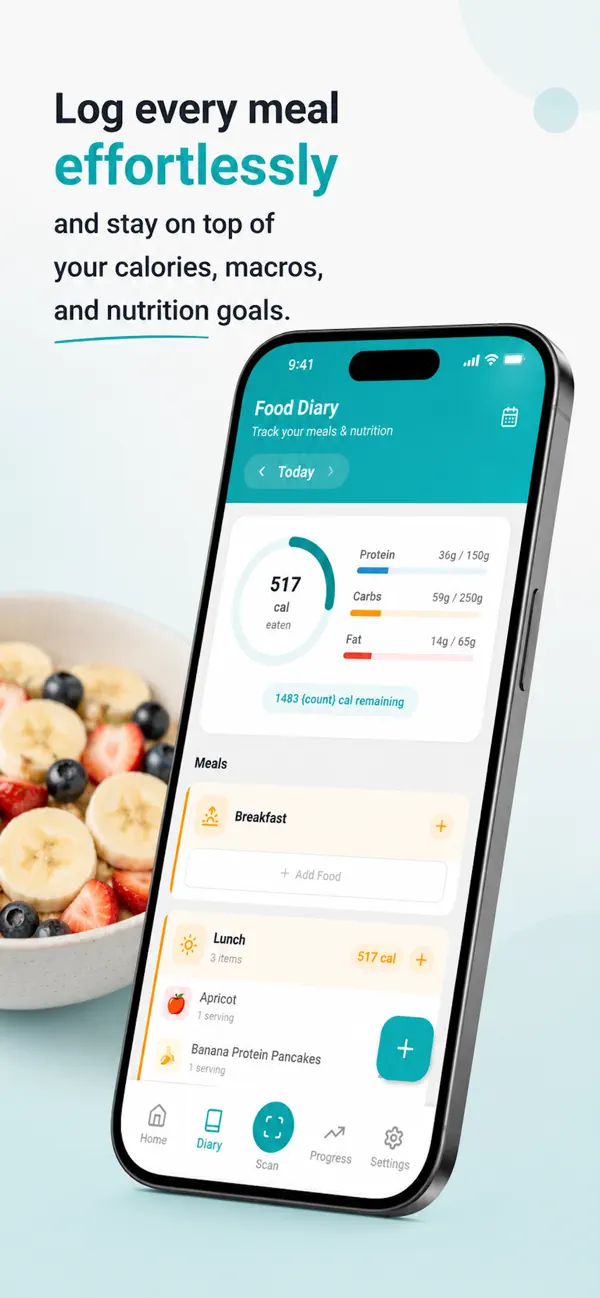
Log breakfast, lunch, dinner and snacks, and see calories eaten, calories remaining and each macro against your goal.

  • Calorie ring with calories remaining
  • Protein, carbs and fat against your goals
  • Search the food database or scan on the go
Meal Sensor: Monitor your weight and body composition
03

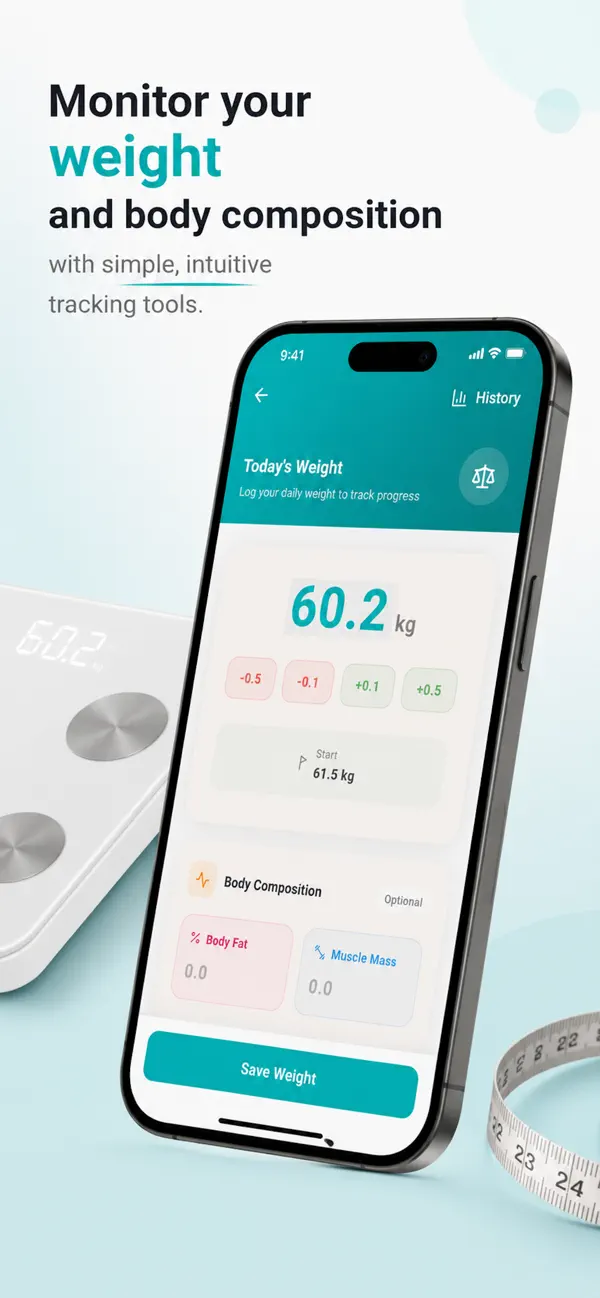
Monitor your weight and body composition

Log today’s weight in a tap and, if you like, body fat and muscle mass. Your start weight and recent changes are shown alongside.

  • Daily weigh-ins
  • Optional body fat and muscle mass
  • Change since your last entry
Meal Sensor: See your progress over time
04

See your progress over time

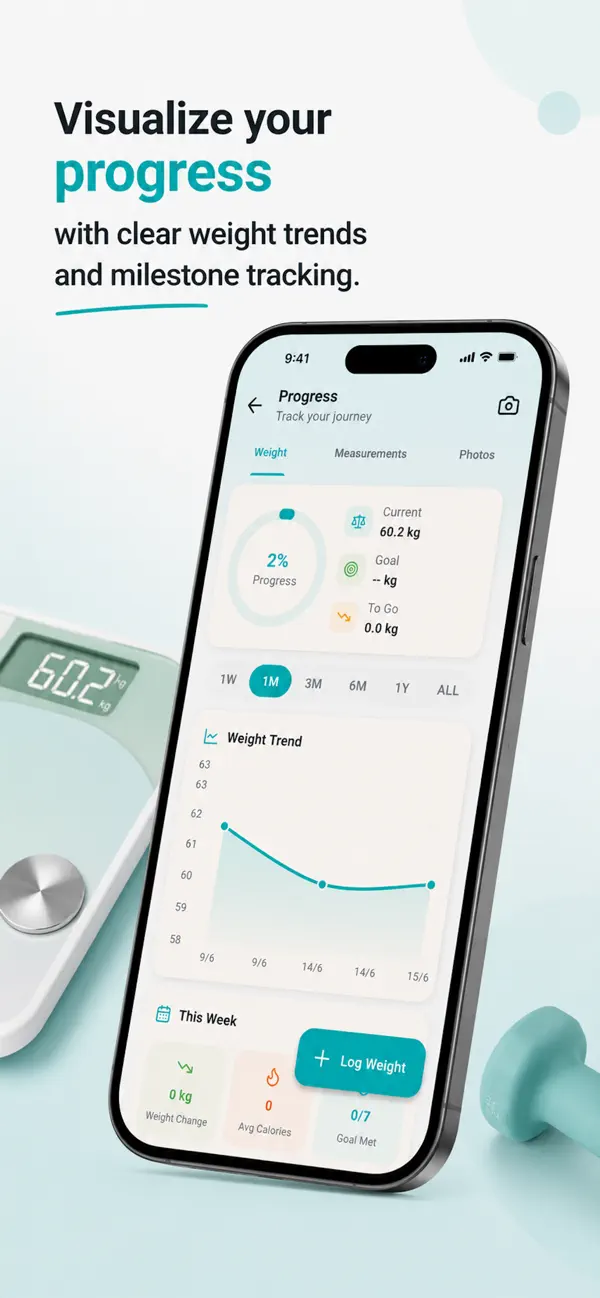
A weight trend chart from one week to all time, your goal progress, and a weekly summary of weight change and average calories.

  • 1W, 1M, 3M, 6M, 1Y and all-time views
  • Progress towards your goal weight
  • Weight, measurements and photos tabs
Meal Sensor: Healthy recipes, picked by AI
05

Healthy recipes, picked by AI

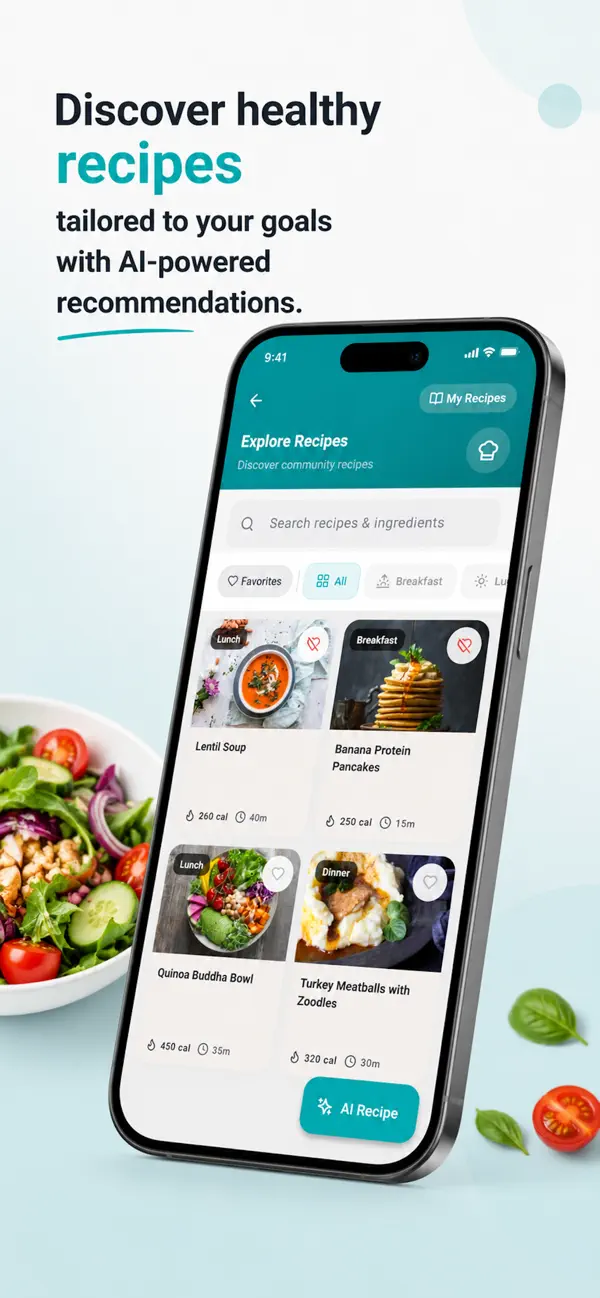
Browse recipes with calories and cooking time, save favourites, or ask for an AI recipe based on your dietary goals and preferences.

  • Search recipes and ingredients
  • Calories and time on every recipe
  • AI Recipe button for personalised ideas
Meal Sensor: Record workouts quickly
06

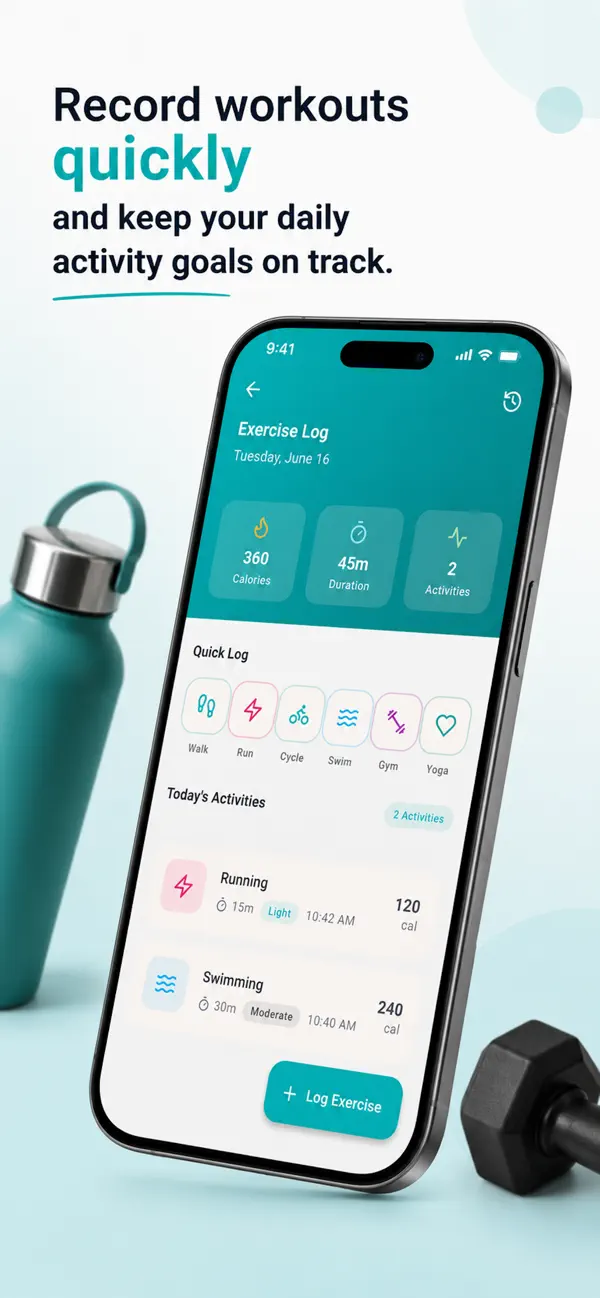
Record workouts quickly

Log walks, runs, rides, swims, gym sessions and yoga, and see calories burned, total duration and activities for the day.

  • Quick log for common activities
  • Calories and duration per activity
  • Daily activity totals

Every screen in Meal Sensor

  • Meal Sensor screenshot 1
  • Meal Sensor screenshot 2
  • Meal Sensor screenshot 3
  • Meal Sensor screenshot 4
  • Meal Sensor screenshot 5
  • Meal Sensor screenshot 6
  • Meal Sensor screenshot 7
  • Meal Sensor screenshot 8

Also in the app

More in Meal Sensor

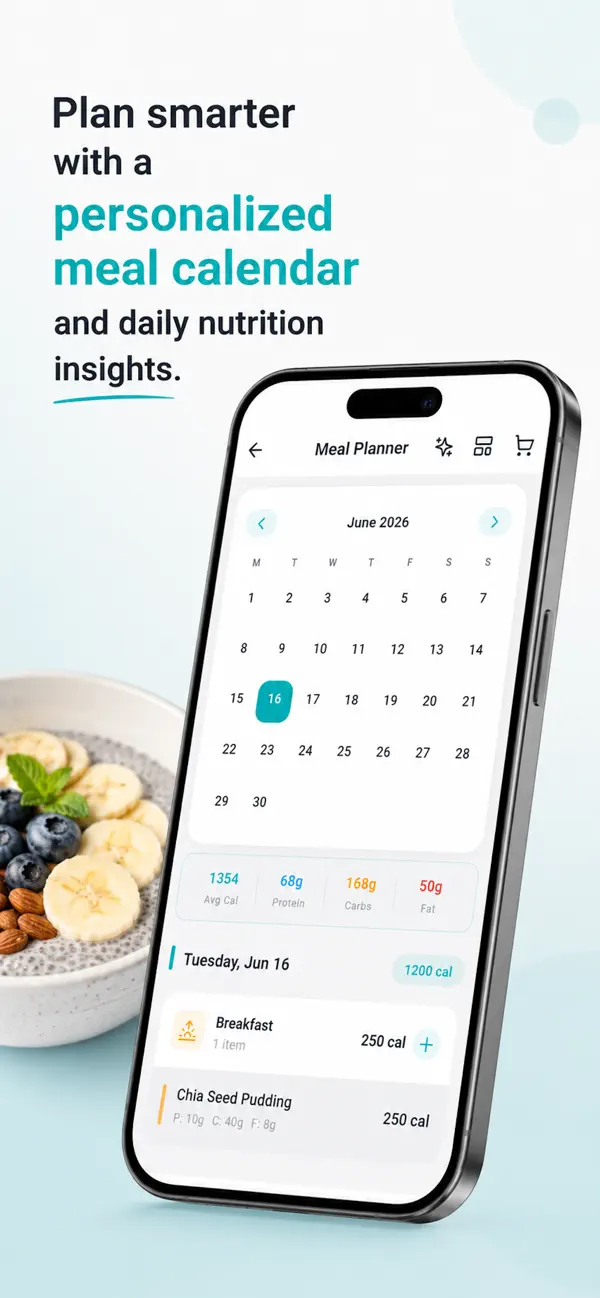
  • Meal planner

    Plan meals on a calendar and see daily calories, protein, carbs and fat for each day.

  • Water tracking

    Log your water intake against a daily goal.

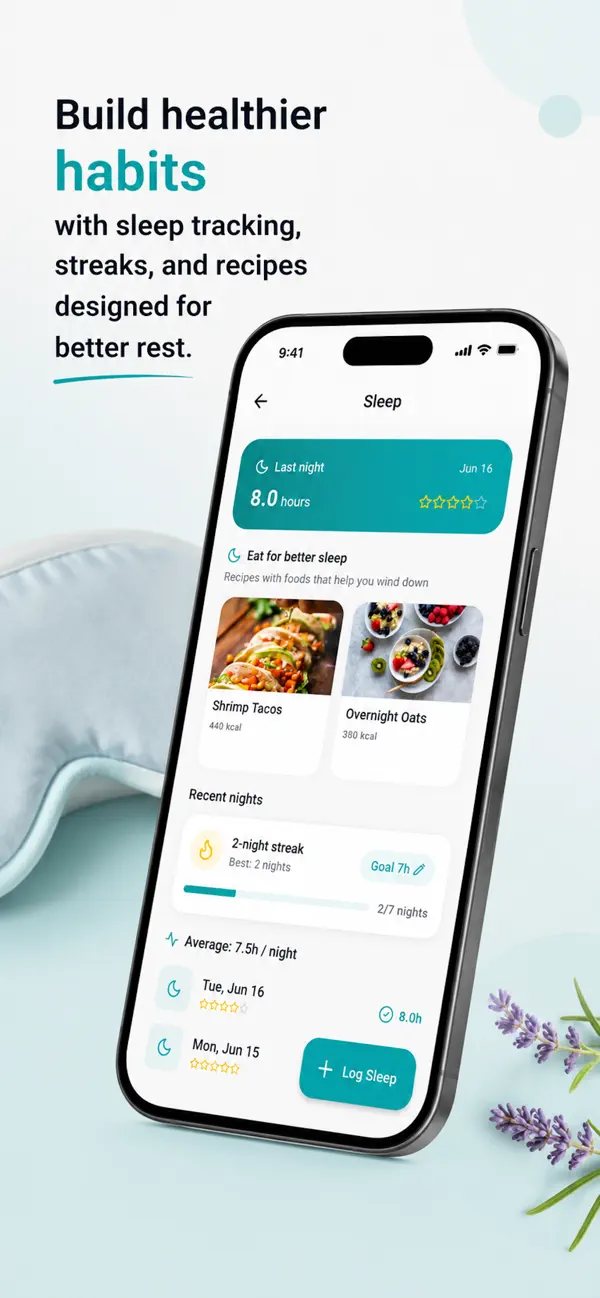
  • Sleep tracking

    Log your nights, see your average and build a sleep streak, with recipes chosen for better rest.

  • Nutrition analytics

    Daily, weekly and monthly trends with charts.

  • AI nutrition coach

    Personalised meal suggestions and recipe ideas based on your goals and preferences.

  • Achievements and streaks

    Badges, daily streaks and progress milestones to keep you going.

Who it’s for

Who uses Meal Sensor

  • People who eat out

    Scan the menu before you order and see what each dish adds to your day.

  • Anyone counting calories or macros

    Log meals fast and keep protein, carbs and fat on target.

  • People working on their weight

    Track weight, workouts and water alongside what you eat, with trends over time.

Pricing

Start free, upgrade when you need more

Meal Sensor is free to download with its core features. New users get 7 days of full Premium access free with a Meal Sensor account.

Download on theApp Store

Premium monthly

$7.99

per month

Premium yearly

$39.99

per year

  • Unlimited menu scans
  • Advanced analytics
  • Ad-free experience
  • All premium features

US prices; the App Store shows the price for your country. Meal Sensor Premium is an auto-renewable subscription charged to your Apple ID at confirmation of purchase. It renews unless cancelled at least 24 hours before the end of the current period. Manage or cancel it in your Apple ID account settings.

Clear terms, your choice

  • Core features are free; Premium is optional.
  • The 7-day Premium access for new users is granted in the app by Meal Sensor; it is not an App Store introductory offer.
  • Cancel a subscription any time in your Apple ID account settings.
  • Privacy policy and terms are published at mealsensor.infoinlet.com.

Meal Sensor questions

What is Meal Sensor?

Meal Sensor is an AI calorie counter for iPhone and iPad. Snap a photo of a menu or food label to get calories and macros, and track meals, water, weight and exercise in one app.

Is Meal Sensor free?

Yes, it is free to download and the core features are free. New users also get 7 days of full Premium access free with a Meal Sensor account.

How much does Meal Sensor cost?

Meal Sensor Premium costs $7.99 a month or $39.99 a year (US prices). It adds unlimited scans, advanced analytics and an ad-free experience.

Can Meal Sensor count calories from a restaurant menu?

Yes. Point your camera at a restaurant or takeout menu and the AI identifies the dishes and shows calories, protein, carbs and fat for each.

Does it track macros?

Yes. Every logged meal shows protein, carbs and fat against your daily goals, plus a micronutrient breakdown for scanned items.

Can I track weight, water and workouts too?

Yes. Meal Sensor logs water intake against a daily goal, weight with progress charts, and exercise such as walking, running, cycling, swimming, gym and yoga.

Does Meal Sensor suggest recipes?

Yes. Browse healthy recipes or get AI-powered recipe and meal suggestions based on your goals and preferences.

Which devices does Meal Sensor work on?

iPhone and iPad running iOS 15.5 or later. Download it from the App Store.

Meal Sensor

Know what’s on your plate before you order

Download Meal Sensor free on the App Store and get 7 days of Premium on us.

Download on theApp Store